
Uploading your dataset to the Mozilla Data Collective Platform
Interested in joining the movement and publishing your dataset on Mozilla Data Collective? This guide will walk you through the steps required, from account creation to submission!

Interested in joining the movement and publishing your dataset at Mozilla Data Collective? Here is all you need to know!
Making an account
First things first, sign up for an account on Mozilla Data Collective.
We ask that the legal owners of the data are the ones that make an account and upload the dataset through their account in order to ensure proper governance. Make sure that you:
- Use your full legal name (e.g. Alice Smith)
- Use the legal entity / organization name of the owner of the dataset, if applicable (e.g. Alice Smith Foundation)
- Use an email address associated with the organization, if available (e.g. info@alicesmithfoundation.org)
- Avoid all capital or lowercase letters, unless part of your branding (e.g. IBM)
Send a "Request to Upload"
In order to ensure that the datasets hosted in our platform are aligned with the Mozilla Data Collective values & manifesto we manually review every request to upload.
Simply go to https://datacollective.mozillafoundation.org/profile/uploads and click "Request to Upload"
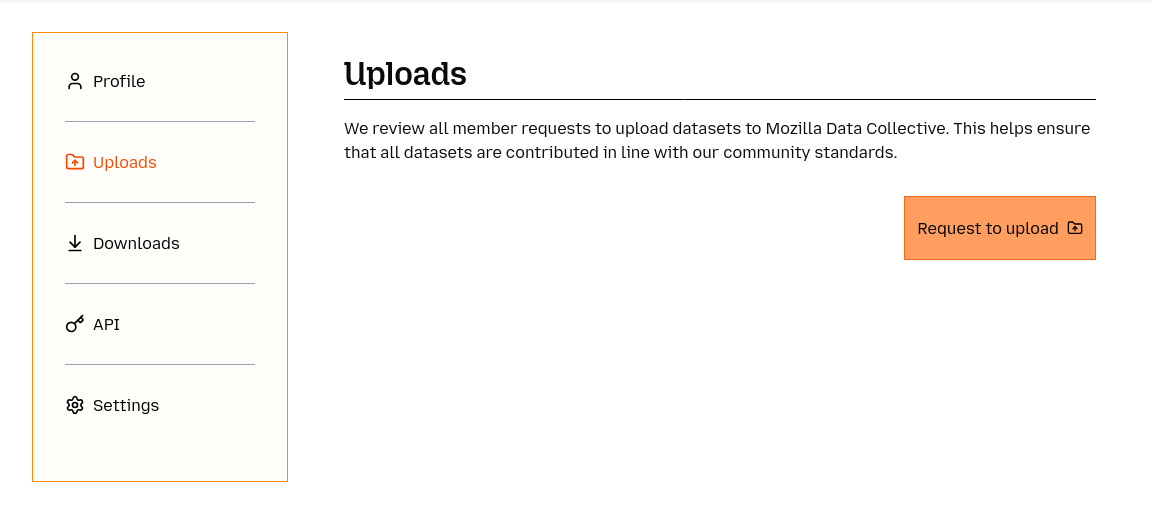
Note: Since we are manually reviewing every request, please allow for a few days to get back to you with a reply. At this stage, you should expect an email from us asking further clarifying information about yourself, the organization you are representing, the data you want to upload and what are your goals with sharing this data in our platform. Once we have all the necessary information and have ensured your datasets meet our community standards we will approve your request.
Guidelines on preparing your dataset for Submission
Before starting the processing of submitting a new dataset, take a look at the information that we require you have in hand in order to fill in the Datasheet for your dataset.
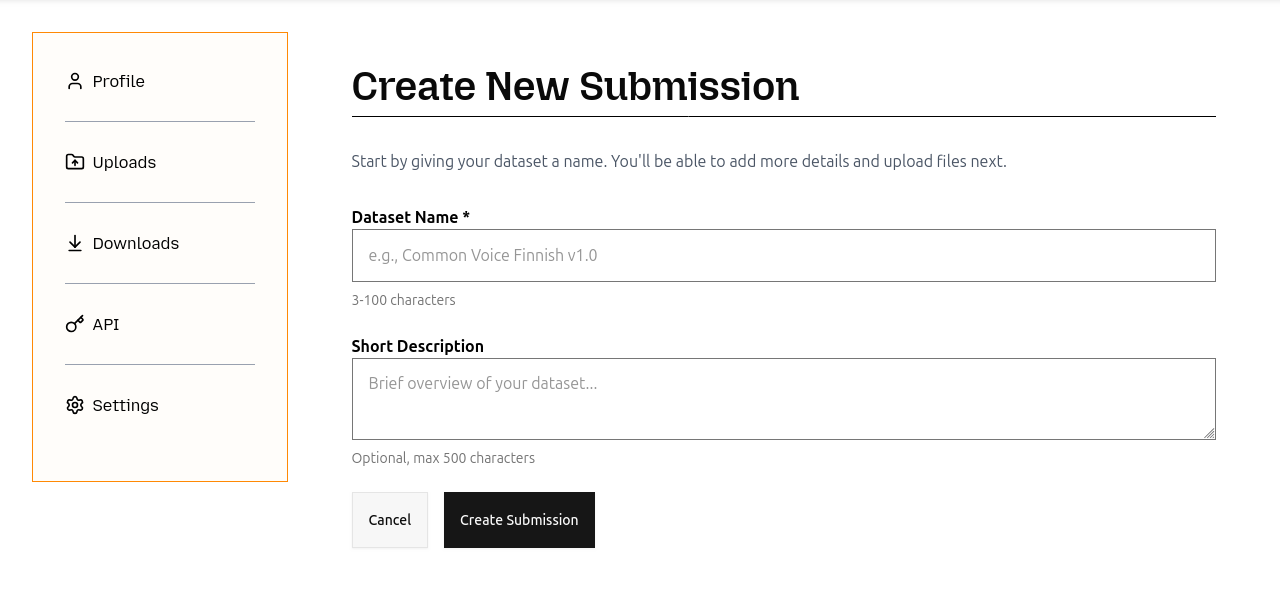
- Dataset Name: Use a descriptive, unique name that is not too long or repetitive (e.g. if it is a collection of texts from a publisher, you could mention the publisher name in the title).
- Description: Add a short description of one or two sentences. This will appear in your dataset's "Data Card" on the dataset listings page.
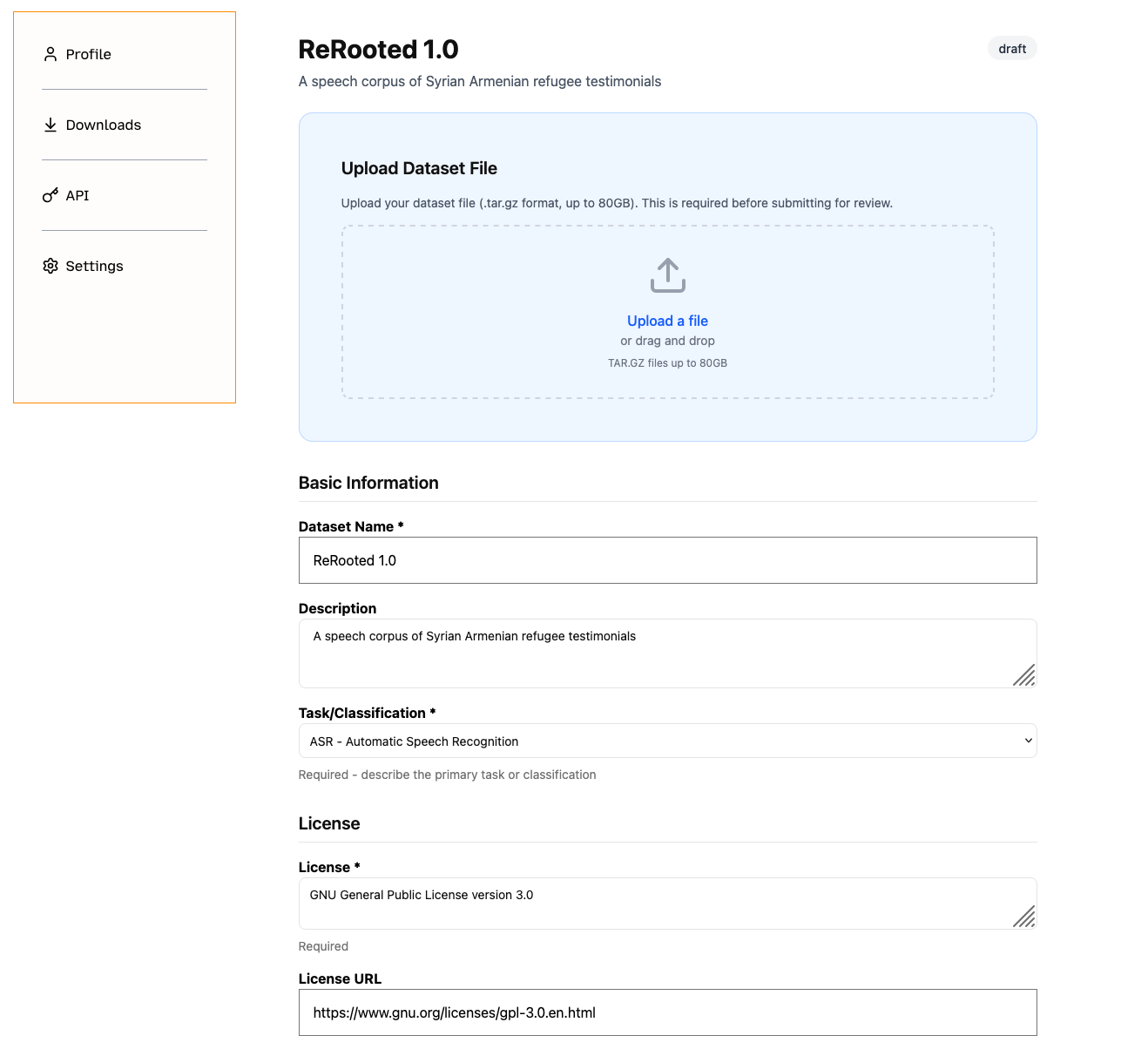
- Task / Classification: If this dataset was curated for a certain downstream application / task, select it from the dropdown. Otherwise, select N/A.
- Locale: An identifier of the language(s) the dataset is comprised of.
- Use ISO-639-1 (two letter) or ISO-639-3 (three letter) language codes, if there is an ISO-639-1 code prefer that code; if there are two codes one in English and one from the native language, choose the native language one
- e.g.eu not eus
- Use ISO-639-1 (two letter) or ISO-639-3 (three letter) language codes, if there is an ISO-639-1 code prefer that code; if there are two codes one in English and one from the native language, choose the native language one
- If the dataset is in many languages, use the mul language code
- If the dataset is in two languages and is a parallel corpus use two language codes separated by comma
- e.g fr, ewo
- If the dataset is only a specific variant, you can use the BCP-47 code for that variant or just use the higher level language code,
- e.g. rm-vallader or rm
- If the dataset contains multiple variants of the same language, use the higher level/macrolanguage code,
- e.g. hy not hye or hyw
- Format: The main file format of your data.
- Use uppercase formats without initial full stop,
- WAV not .wav
- Use a comma and a space to separate formats,
- e.g. WAV, TSV not WAV; TSV
- Use uppercase formats without initial full stop,
- License: The license attached to your dataset.
- If you need to use another licence, choose “custom licence” and fill out:
- Long form: e.g. Creative Commons Attribution International 4.0
- Short form: This should be an abbreviation, e.g. CC-BY-4.0
- URL: A url to the full licence text
- If you need to use another licence, choose “custom licence” and fill out:
- Restrictions/Notes to Coordinators: If there are any certain restrictions you want to apply to your dataset you can write them here. For example:
- "For research and scientific use only"
- "You agree that you will not re-host or re-share this dataset"
- Forbidden usage: If you want to prevent the dataset to be used in certain ways you can define it here. For example:
- "You agree not to attempt to determine the identity of speakers in this dataset"
- "Any attempt to clone the voice or train models that imitate the speakers in this dataset is forbidden"
- "It is forbidden to use this dataset to train chatbots or large language models"
- Additional Conditions: If there are any conditions that do not fit in the two boxes above, you can define them here. For example:
- You may use this for evaluation of large language models, but not as part of training or fine-tuning
- Point of contact: This should be the dataset owner / uploader, but it could also be a technical consultant. If the point of contact is not the owner, then you should also fill out the field below "Created by" and "Legal Contact".
- Funded by: If the dataset was funded by a person or organisation who is not the owner/uploader, then that can be listed here. The contact can be an email address or it can be a link.
- Legal Contact: If there is a specific legal contact for the dataset, for example for take-down requests, then that can be listed here.
- Created by: If the point of contact did not create the dataset, put the dataset creator here
- Intended Usage: What is the dataset intended to be used for? This is a free form field, and should consist of a sentence or paragraph describing the intended use. For example:
- This dataset is intended for use in creating automatic speech recognition systems.
- Ethical Review Process: If the dataset was created in a university or academic/research institution with a review board, you can include that information here. Otherwise, please include information about how informed consent was obtained, for example:
- Each participant gave consent to be included in this dataset via a written form and has the ability to revoke their inclusion in the dataset by emailing the authors at any time
- Technical Datasheet: When you are writing or advising on writing the technical datasheet you should put yourself in the shoes of a downloader, who could be a machine learning engineer, or some other person who is interested in using the data in training their machine learning systems. What kind of questions do you have? Think about the following questions: What? Who? Where? When? Why?
- Language: What is this language, is it a particular variant, where is it spoken?
- Source(s): Where is the data from? What kind of data is it? Who wrote it and when?
- Domain(s): What domain is the data from? E.g. Is it general domain, health domain?
- Size: if possible, include an approximate size in some unit of measurement that is relevant for the intended task (e.g. hours for ASR, tokens for text)
- Structure: What is the structure of the data ?
- Sample: What does the data look like? Add a list of examples (randomly sampled or hand-selected, approx 5-10)
- If it has text: describe the orthography/writing system, include an alphabet table.
- Note: The technical datasheet is in Markdown, you can click “Preview” to view the result
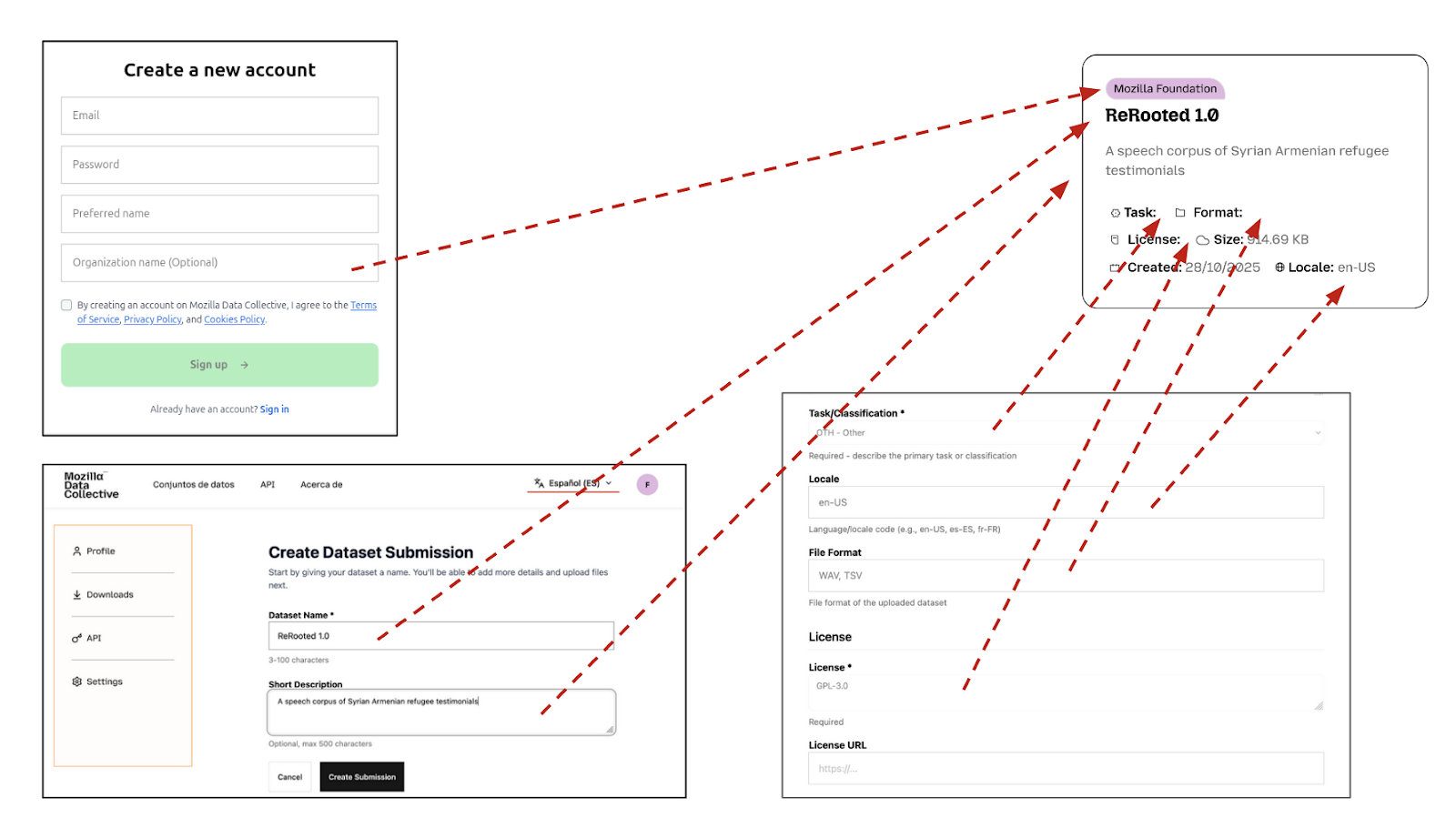
Certain fields defined above will be used to generate your "Data Card" that will be shown at https://datacollective.mozillafoundation.org/datasets. For example:
The rest of the fields will populate your "Dataset Listing". You can visit any public dataset to get an idea, for example: https://datacollective.mozillafoundation.org/datasets/cmflnuzz3l9oqw5m1ezpzl062
Dataset Exclusivity Clause
During the submission process of your dataset you will notice the following checkbox.

If the same version of your dataset is available on other data-sharing platforms, the please check the box before submitting. Note that this clause does not mean that the data in the dataset is not available in some form online. For more information about this condition please visit this page.
Creating a .tar.gz file of your dataset
All datasets on the Mozilla Data Collective platform need to be uploaded in a single .tar.gz file. Here, we show you how to create a .tar.gz file on your preferred operating system.
Linux and Mac
Using the command line, use the following command to create a single .tar.gz file of your dataset:
tar -czvf dataset-name.tar.gz /path/to/files/or/directoriesWindows
If you're using Windows, we recommend using the free, open source software called 7-Zip to create a .tar.gz file. After downloading and installing 7-Zip, follow these steps:
- Right-click on the folder or files you want to archive.
- In the context menu, select
7-Zip>Add to archive... - In the Add to Archive window, under
Archive format, selecttar. Name your file (e.g.,dataset-name) and clickOK. This creates a.tarfile. - Right-click on the newly created
.tarfile. - Select
7-Zip>Add to archive...again. - This time, under
Archive format, selectgzip(which should now be available since there is only one file). Name your file with the final.tar.gzextension (e.g.,dataset-name.tar.gz), and clickOK.
Create your first Dataset Submission
After your request has been approved, visit the same "Uploads" page and you will see an option to create a "New Submission".
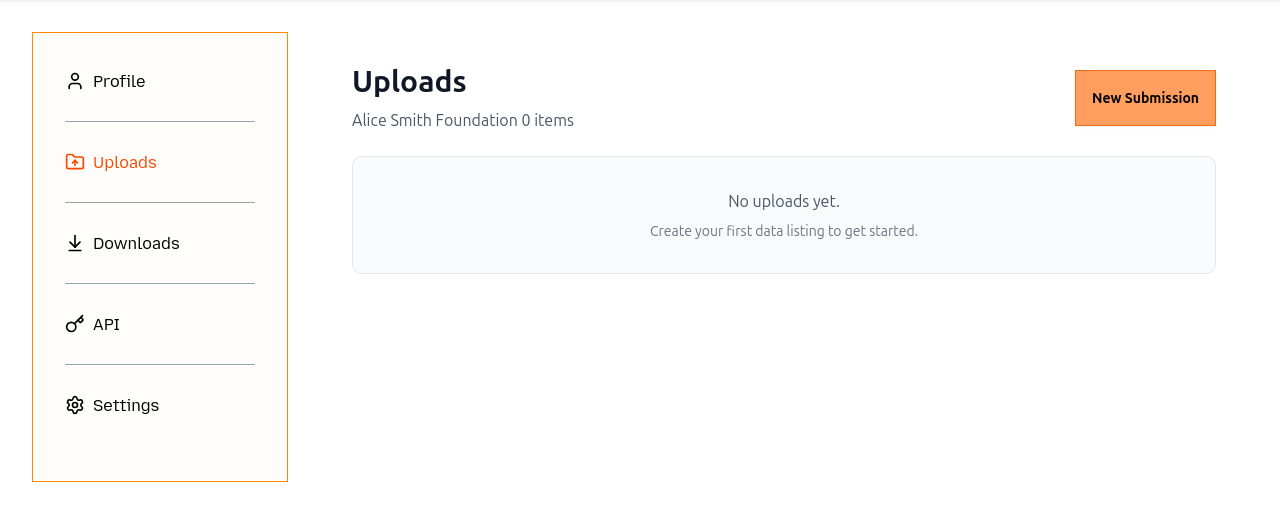
Start the process and fill in the required information following the guidelines defined above. Note that you can start the process, then click "Save Draft" and come back the submission at a later stage to complete it. When the submission is under the status of "Draft" you are free to make edits to it as you like. Once you have uploaded the data and filled out all the necessary fields you can click "Submit for Review". When the submission is under the status of "Submitted for Review" you are no longer able to make edits to the submission. One of our team members will pick up the submission and review it. It is possible that we will reach back to you for edits. This will change the status of the submission to "Edits Requested" and you can edit the submission again. Finally, once all the edits have been finalized, you can click "Submit for Review" again, and, unless there are any other issues that need to be addressed, we will approve your submission.
View your dataset
Once your dataset submission is approved you will be able to see it and share it publicly at https://mozilladatacollective.org/datasets.