FAQ: How can I remove published datasets from MDC?

If you need to remove a dataset from Mozilla Data Collective after it has been published, you can make your dataset private through the following steps:
- Sign into your account - make sure you are using the account that published the dataset originally
- Go to your Profile > Uploads and find the dataset that you want to unpublish
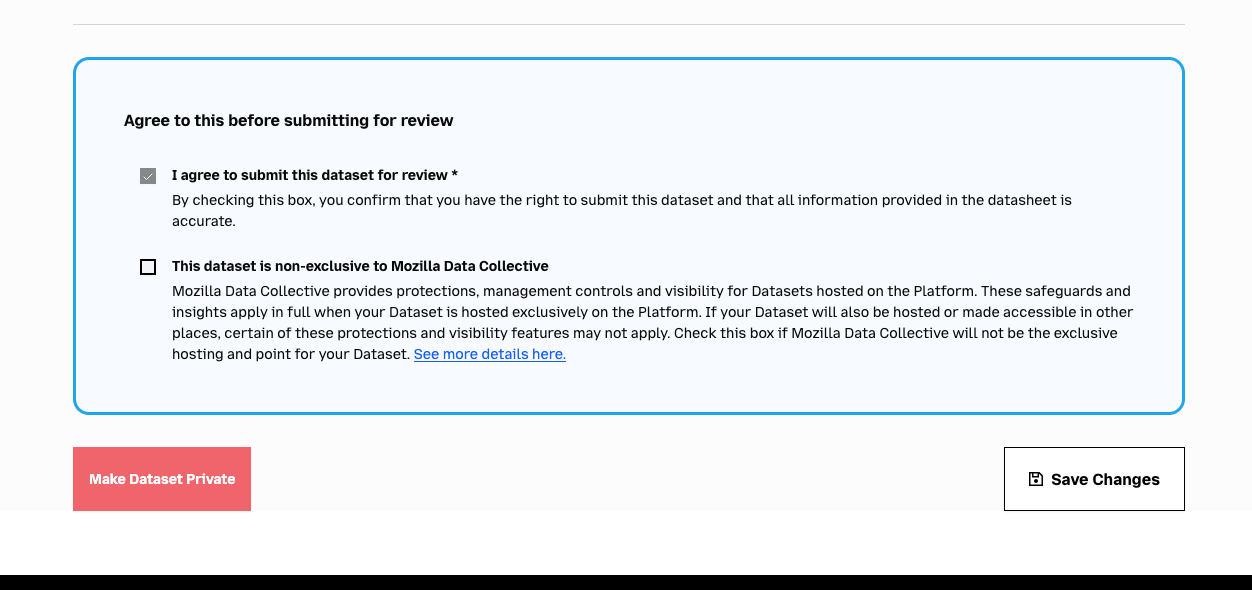
- Select the listing and scroll to the bottom of the page
- Click the 'Make Dataset Private' button
- Confirm that you want to remove the dataset listing from MDC in the dialog box that opens
Once you have unpublished your dataset, it will no longer be accessible to the public on Mozilla Data Collective. You can re-publish your dataset by clicking 'Make Dataset Public' again after it has been made private.