Best Practices for Sharing Contact Information on Mozilla Data Collective
In this guide, we'll walk through the different options available on the platform for sharing your contact information with downloaders and setting expectations about how downloaders or other community members can reach out to you.


When authoring a datasheet on Mozilla Data Collective, there are several considerations that you may want to make related to how downloaders can contact you about your dataset.
In April, we made a change to how contact information was displayed on datasheets. Before the change, all contact information that was entered into the datasheet was displayed publicly on the dataset listing, which meant that data providers did not have control over whether to share their email addresses on the web. To better protect the personally identifiable information of data providers, we removed these fields from the datasheet.
This change was intended to be temporary, until we could add a consent opt-in to display this information on the datasheet in order to give data providers more control over how - and when - to share their contact information with the community. We introduced our conditional gated access feature, which allows downloaders to share their contact information first in order to gain access to a dataset, as one step in a suite of improvements that help facilitate more intentional and specific interactions between data providers and downloaders.
Last week, we made an update to the datasheet form. Now, as a data provider, you can choose whether to make the contact details public on your datasheet. If you check this box, your name and email will be visible, like before. By default, this is unchecked, which means the contact information will be hidden unless you explicitly decide to enable it. This can be changed at any time without needing your dataset to be re-approved.

Sharing Contact Information on Mozilla Data Collective
When choosing to share contact information on Mozilla Data Collective, consider how you want to engage with the broader community. You may want to selectively enable contact information on individual datasets using the checkbox on the datasheet itself, or put citation/contact information in the 'Description' or 'Other Information' field with additional context about how to get in touch with you about your dataset.
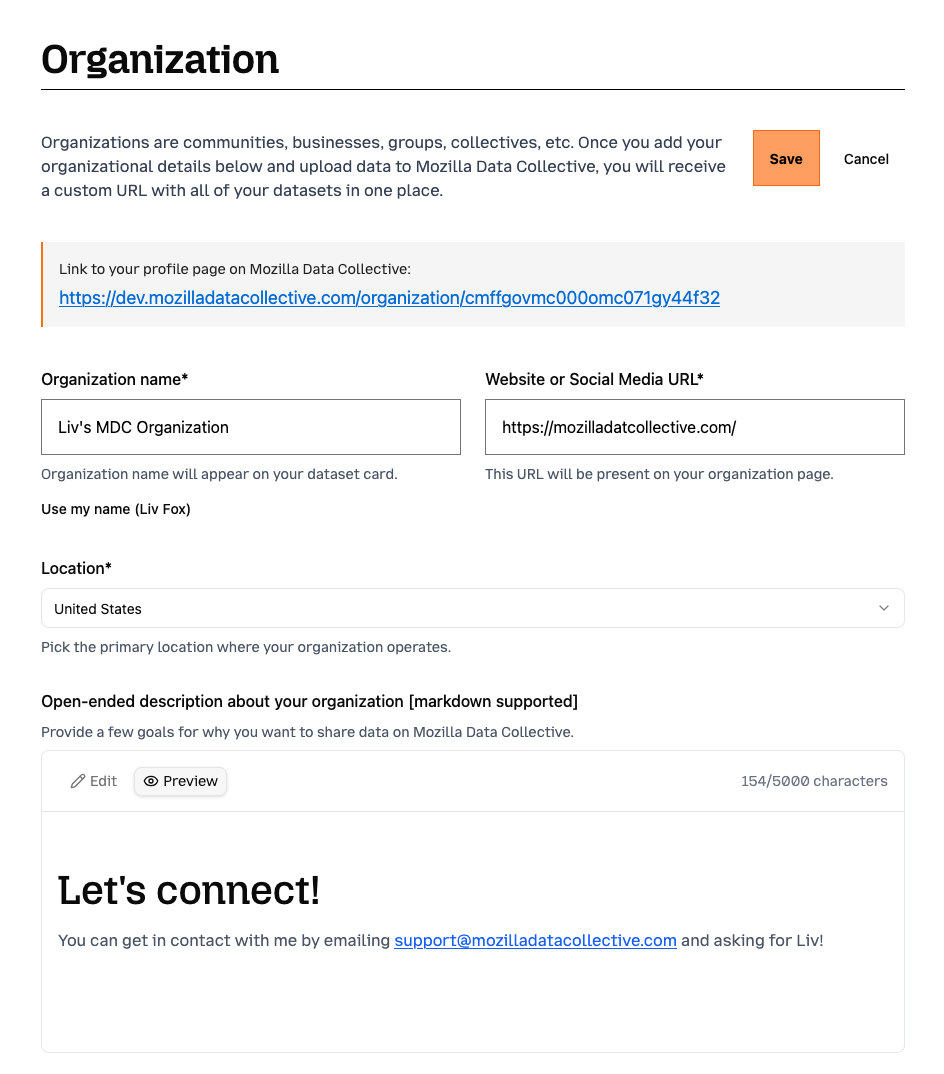
You may also want to specify different forms of contact on your Organizational profile page. This is especially helpful if you are representing a team or community, and have different points of contact based on the type of inbound (e.g. support, partnerships).
If you would prefer to not share your contact information, but would still like downloaders to get in touch with you before accessing your dataset, you can set your dataset to 'Restricted' and use the access gate feature to allow downloaders to get in touch with you first.
In the future, we plan on introducing more features that will make on-platform communication easier and more streamlined. If you have feedback on how that might look, we'd love to hear from you!